Microsoft has been pushing AI-powered laptops hard since 2024. But in 2026, the Copilot+ PC story has gotten more complicated — and more interesting.
New Surface hardware. New AI features rolling out monthly. A RAM crisis pushing up prices. And a surprising shift in how Microsoft itself thinks about AI on your PC.
Here’s everything you need to know about Microsoft Copilot+ PCs in 2026 — what’s new, what’s changed, and whether one is worth buying.
What is a Copilot+ PC?
A Copilot+ PC is Microsoft’s certified category of AI-powered laptops and desktops. To qualify, a device must meet specific hardware requirements:
- 40+ TOPS (Trillions of Operations Per Second) from a dedicated Neural Processing Unit (NPU)
- 16GB RAM minimum
- 256GB storage minimum
- Windows 11 installed
The “plus” in Copilot+ means the hardware exceeds Microsoft’s minimum AI processing requirements — ensuring AI features run smoothly and locally on your device, without needing cloud processing for every task.
Think of the NPU as a specialized chip optimized for AI work — like how a GPU handles graphics. The NPU handles the matrix math that powers modern AI features directly on your device.
What’s New in Copilot+ PCs in 2026?
New Surface Hardware — Surface Laptop & Surface Pro
Microsoft just announced new Surface hardware in May 2026 — and it comes with some important caveats.
New Surface Laptop 13-inch (2026): The new midrange Surface Laptop features Intel’s latest Core Ultra 3 chips and starts at $1,299 for 8GB RAM or $1,499 for 16GB RAM.
Here’s the catch — Microsoft has confirmed that its new midrange Surface Laptop for 2026 will be made available with 8GB RAM, making it the first Surface PC to ship with less than 16GB RAM since the launch of Copilot+ PCs in 2024. The 8GB RAM model will start at $1,299.
The problem? The 8GB RAM model won’t qualify for Copilot+ PC features — most Copilot+ features need at least 16GB RAM. This means the NPU on that device will essentially be useless.
New Surface Pro & Surface Laptop (Business/Flagship): Microsoft also announced new flagship Surface Pro and Surface Laptop hardware for business customers, starting at $1,949. These devices feature display upgrades, a new haptic trackpad, and Intel’s more powerful Series 3 chips.
Why are prices so high? An ongoing RAM crisis has pushed prices up significantly. The original business model launched for $1,099 in 2025, but the new model with Intel’s latest Core Ultra 3 chips, 16GB RAM, and 256GB storage now starts at $1,499.
Snapdragon X2 Elite and Plus — More NPU Power
On the chip side, Qualcomm’s Snapdragon X2 Elite and Snapdragon X2 Plus hardware deliver 80 TOPS of NPU performance — double the 40 TOPS minimum requirement for Copilot+ certification. Intel and AMD have also launched competitive NPUs this year, with most new processor platforms now delivering 48-80 TOPS.
This means Copilot+ PC-capable hardware is now widely available across brands — not just Microsoft Surface. Dell, HP, Lenovo, ASUS, and Samsung all have Copilot+ certified laptops in 2026.
New Copilot+ PC AI Features in 2026
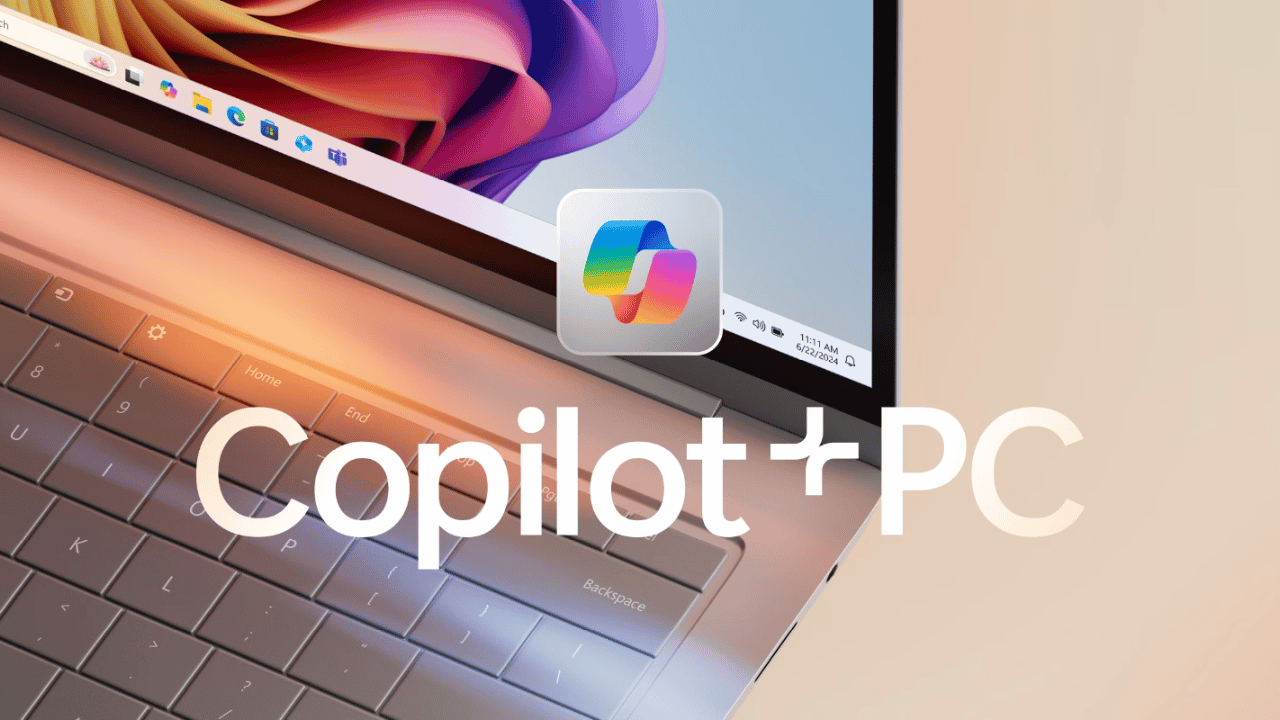
Microsoft has been rolling out new AI features to Copilot+ PCs every month. Here’s what’s new:
1. Microsoft 365 Copilot — Monthly Updates
Microsoft releases significant Microsoft 365 Copilot updates every month. The most recent highlights:
April 2026: The Microsoft 365 Copilot mobile app now includes a refreshed, chat-first design with a cleaner and more intuitive user experience, adding support for text formatting in prompts and introducing a new layout that makes chat responses easier to view, copy, reopen, and reference. Copilot Notebooks can now generate PowerPoint presentations directly from notebook content and references.
March 2026: When users ask Copilot Chat to summarize a meeting, they now get a video recap alongside the written recap — combining key takeaways with short, relevant video clips. Copilot can now make multi-step edits to modern Excel workbooks stored locally on devices across Windows and Mac platforms.
February 2026: Users can now select specific text from Copilot responses and ask follow-up questions about it for focused, precise assistance. A new Project Manager Agent helps users plan, organize, and manage work through AI-assisted project tracking.
2. Windows AI Foundry — A Major Strategic Shift
One of the most important 2026 developments is a change in how Microsoft thinks about AI on Windows.
Microsoft’s new Windows AI Foundry prioritizes GPUs and CPUs for AI processing — potentially making NPU requirements less critical for future Windows 11 features. Microsoft announced that every Windows 11 PC would be an “AI PC”, even non-Copilot+ ones.
This is a significant shift. At CES 2026, there was a wave of Copilot+ PCs, but it felt like they were chasing an AI PC strategy that Microsoft had already moved beyond. With Microsoft now downplaying NPUs and few applications taking advantage of them, the great NPU push doesn’t feel as important as it once did.
What does this mean practically? AI features are coming to all Windows 11 PCs — not just Copilot+ ones. The premium you pay for Copilot+ hardware may matter less over time.
3. Microsoft 365 E7 and Agent 365 — Enterprise AI
Microsoft announced Microsoft 365 E7: The Frontier Suite, with general availability of Microsoft 365 E7 and Microsoft Agent 365 on May 1, 2026.
Agent 365 is Microsoft’s most ambitious product — an AI agent system that can take actions on your behalf across Microsoft 365 apps. Think of it as Copilot evolving from a chatbot into an autonomous work agent.
4. Copilot Studio — Intelligent Automation
The April 2026 Copilot Studio updates focus on building confidence and control in AI automation — from increasing visibility and governance for admins to expanding intelligent workflow capabilities. You can now embed Copilot Studio agents directly into workflows, letting the workflow delegate reasoning and decision-making to an AI agent at any step.
Copilot+ PC Features List — What Can They Actually Do?
Here’s a practical breakdown of what Copilot+ PC features are available right now:
| Feature | What It Does | Status |
|---|---|---|
| Live Captions | Real-time subtitles for any audio/video | ✅ Available |
| Cocreator (Paint) | AI image generation from text in Microsoft Paint | ✅ Available |
| Studio Effects | Background blur, eye contact correction for video calls | ✅ Available |
| Voice Focus | Noise cancellation powered by NPU | ✅ Available |
| Recall | AI-powered search of everything you’ve done on your PC | ⚠️ Rolling out |
| Click to Do | AI suggestions based on what’s on your screen | ✅ Available |
| Image Creator | Generate images from text in Photos app | ✅ Available |
| Super Resolution | AI upscaling for gaming graphics | ✅ Available |
| Cocreator (Phone Link) | AI image editing with your phone | ✅ Available |
| Copilot Chat | AI assistant built into Windows 11 taskbar | ✅ Available |
Should You Buy a Copilot+ PC in 2026?
This is the real question — and the honest answer is more nuanced than the marketing suggests.
Buy a Copilot+ PC if:
You use Microsoft 365 heavily. If your work runs on Word, Excel, Teams, and Outlook, the Copilot integration is genuinely useful — especially the meeting summaries, email drafting, and Excel multi-step editing that rolled out in early 2026.
You want future-proofing. Even if current Copilot+ features feel limited, the NPU requirement ensures your laptop will support whatever Microsoft rolls out next. AI features will only expand.
You want the best performance. Copilot+ PCs with Snapdragon X Elite or Intel Core Ultra processors are genuinely fast. Microsoft claims top-performing Copilot+ PCs are faster than the MacBook Air M4 based on Cinebench 24 Multi-Core benchmarks, with up to 27 hours of local video playback battery life.
You need on-device AI privacy. Copilot+ PCs run AI locally — your data doesn’t leave the device for most AI tasks. For privacy-conscious users, this matters.
Don’t buy a Copilot+ PC if:
Budget is a concern. The RAM crisis has pushed prices up in 2026. A good Copilot+ PC starts around $1,099-$1,299 — and that’s the entry level. If budget is tight, a non-Copilot+ laptop with similar specs costs significantly less.
You mainly browse the web and use basic apps. If your workload doesn’t involve AI-heavy tasks, Microsoft 365, or creative work, the Copilot+ premium isn’t worth it.
You’re buying the 8GB Surface Laptop. The new $1,299 Surface Laptop with 8GB RAM doesn’t actually qualify for Copilot+ features — you’d be paying Surface prices for a non-AI PC. Wait for the 16GB version or choose a competitor.
Best Copilot+ PCs to Buy in 2026
| Device | Chip | RAM | Price | Best For |
|---|---|---|---|---|
| Surface Laptop 13.8″ | Snapdragon X Plus/Elite | 16-64GB | From $999 | Everyday productivity |
| Surface Pro (Business) | Intel Core Ultra Series 3 | 16-64GB | From $1,949 | Business power users |
| Dell XPS 13 Plus | Intel Core Ultra 7 | 16-32GB | From $1,199 | Portable professionals |
| HP Spectre x360 14 | Intel Core Ultra 7 | 16GB | From $1,299 | Versatility + touch |
| Lenovo ThinkPad X1 Carbon | Intel Core Ultra 7 | 16-32GB | From $1,399 | Business durability |
| Samsung Galaxy Book 4 Edge | Snapdragon X Elite | 16GB | From $1,199 | Thin + powerful |
| ASUS Zenbook 14 OLED | AMD Ryzen AI 9 HX | 32GB | From $1,099 | Best value Copilot+ |
Copilot+ PC Requirements — Does Your Current PC Qualify?
To check if your existing PC is Copilot+ certified:
- Press Windows + I → Settings
- Go to System → About
- Look for “Copilot+ PC” badge
If you don’t see it, your PC either lacks the NPU, has less than 16GB RAM, or doesn’t meet the 40 TOPS requirement.
Most PCs bought before mid-2024 will NOT be Copilot+ certified.
Frequently Asked Questions
Q1: What is the difference between a Copilot+ PC and a regular AI PC?
All Copilot+ PCs are AI PCs, but not all AI PCs are Copilot+. Copilot+ requires a specific NPU with 40+ TOPS and 16GB RAM. Microsoft now calls all Windows 11 PCs “AI PCs” — but only certified Copilot+ devices get the full suite of Copilot+ features.
Q2: Is 8GB RAM enough for a Copilot+ PC?
No. Copilot+ features require a minimum of 16GB RAM. The new $1,299 Surface Laptop with 8GB RAM technically has an NPU but won’t run Copilot+ features — making it a poor value choice.
Q3: What is Recall on Copilot+ PCs?
Recall is a controversial Windows 11 feature that takes regular screenshots of everything you do on your PC, creating a searchable AI-powered history. It’s only available on Copilot+ PCs and is still rolling out gradually in 2026.
Q4: Can I add Copilot+ features to my old laptop?
No. Copilot+ features require dedicated NPU hardware that can’t be added to existing laptops.
Q5: Is Copilot+ PC worth the extra money over a MacBook?
It depends. MacBook Air M4 offers comparable performance at similar prices. For Microsoft 365 users, Copilot integration on Windows is the deciding factor. For general use, both are excellent choices.
Q6: Which processor is best for Copilot+ PCs in 2026 — Snapdragon, Intel, or AMD?
All three are competitive in 2026. Snapdragon X Elite has the fastest NPU (80 TOPS) and best battery life. Intel Core Ultra Series 3 offers the best compatibility for enterprise software. AMD Ryzen AI 9 HX offers the best overall performance-per-dollar.
Conclusion
Microsoft Copilot+ PCs in 2026 are more capable than ever — with monthly AI feature updates, powerful new chips from Qualcomm, Intel, and AMD, and deep integration into Microsoft 365. But the RAM crisis has made pricing less competitive, and Microsoft’s own shift toward GPU/CPU-based AI raises questions about how important the NPU actually is going forward.
Our recommendation: If you’re buying a new laptop for work in 2026, a Copilot+ PC is a solid future-proof choice — but only if it has 16GB RAM. Avoid the 8GB Surface Laptop regardless of the lower price. And if budget is tight, a non-Copilot+ laptop with similar specs will serve you well for years.