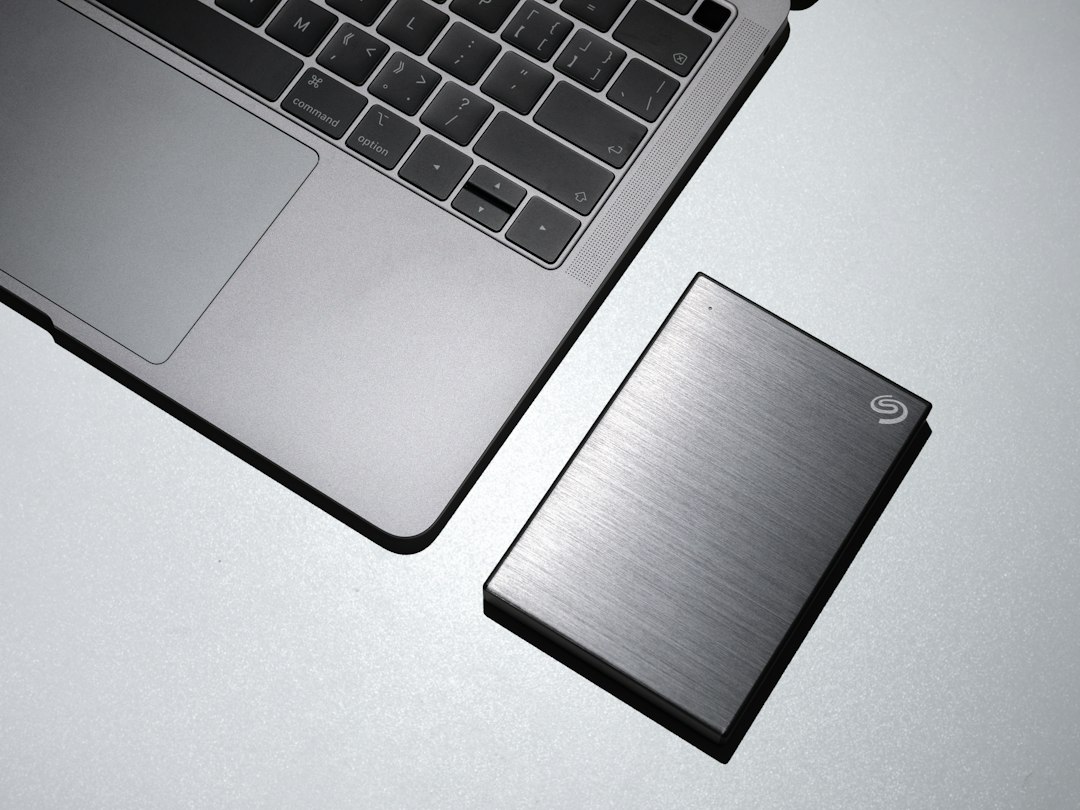
The best external hard drive in 2026 depends on whether you want maximum space for the money or maximum speed. For most people who simply want to back up files, the WD My Passport is the best portable hard drive, because it is reliable, compact and available in large capacities. If you want faster transfers and a drive that survives bumps, the Samsung T7 or T7 Shield portable SSD is the better buy. Here is how the top options compare.
Key Takeaways
- WD My Passport is the best all-round portable hard drive for backups and everyday storage.
- Seagate One Touch is a strong alternative with backup software and large capacities.
- Toshiba Canvio Basics is the best budget pick, with a very low price per gigabyte.
- Samsung T7 is the best external SSD for speed and everyday carry, and the T7 Shield adds rugged protection.
- Hard drives cost far less per terabyte, while SSDs are faster, quieter and tougher.
What Is an External Hard Drive?
An external hard drive is a portable storage device that connects to your computer, usually by USB, so you can back up files, move data between computers or add extra space. Traditional hard drives (HDDs) use spinning platters and are cheap and large, and external SSDs use flash memory and are faster and more durable but cost more.
HDD or SSD: Which Type Should You Buy?
Buy an HDD if you want the most storage for the least money, and buy an SSD if you value speed, silence and durability. An HDD has moving parts, which makes it slower, heavier and more fragile, but dramatically cheaper per gigabyte. At around 4 TB, an external SSD can cost roughly two to three times as much per gigabyte as an HDD.

| Feature | External HDD | External SSD |
|---|---|---|
| Price per terabyte | Lowest | About 2 to 3 times higher |
| Typical capacity | 1 TB to 5 TB or more in portable sizes | 500 GB to 4 TB |
| Speed | Slower | Much faster, up to about 1,050 MB/s on the Samsung T7 |
| Durability | Fragile when moving | No moving parts, more shock resistant |
| Noise | Slight hum and clicks | Silent |
| Best for | Big backups and archives | Travel, editing and fast transfers |
Best External Hard Drives in 2026: Quick Comparison
| Drive | Type | Capacities | Best for |
|---|---|---|---|
| WD My Passport | HDD | 1 TB to 5 TB, up to 6 TB in newer models | Best all-round backup drive |
| Seagate One Touch | HDD | 1 TB to 5 TB, plus larger desktop versions | Backup software and big capacity |
| Toshiba Canvio Basics | HDD | 1 TB to 4 TB | Best budget price per gigabyte |
| Samsung T7 | SSD | 500 GB to 2 TB and up | Best everyday portable SSD |
| Samsung T7 Shield | SSD | 1 TB and up | Best rugged SSD |
Prices change often and vary by country, so check current prices before you buy. Capacities and prices above are taken from 2026 reviews.
What Are the Best External Hard Drives to Buy?
1. WD My Passport: best overall hard drive
The WD My Passport is one of the most recommended portable hard drives for everyday backups and storage. It is slim, lightweight, comes in capacities from 1 TB up to 5 TB or more and offers password protection with hardware encryption. A drive like this gives you a big amount of space at a low price, which is ideal for photos, documents and full computer backups. As with any HDD, handle it gently while it is running.
2. Seagate One Touch: best for backup features
The Seagate One Touch is a close rival in the same price class. It offers capacities from 1 TB to 5 TB in portable versions and larger desktop models, and it includes Seagate’s backup software, with optional hardware encryption on some versions. It is a good choice if you want an easy, guided backup setup.
3. Toshiba Canvio Basics: best budget
The Toshiba Canvio Basics is a simple, no-frills drive with an extremely low price per gigabyte, available in 1 TB, 2 TB and 4 TB versions. It does not come with extras, but if all you need is plain extra storage at the lowest cost, it does the job. Other budget options include the WD Elements Portable and the Seagate Portable.
4. Samsung T7 Portable SSD: best SSD
The Samsung T7 is widely named the best all-around external SSD. It reaches speeds of up to 1,050 MB/s over USB 3.2 Gen 2, it is small and light enough to carry daily, and it is silent. It costs more per terabyte than a hard drive, so it is best when speed and portability matter more than raw capacity.
5. Samsung T7 Shield: best rugged drive
The T7 Shield is the rugged version of the T7, with a tougher case designed to handle drops, dust and water better. It is a good choice for travellers, photographers and anyone who works on location, and it costs a little more than the standard T7.
If you need to move or carry large video files often, the faster Samsung T9 and the SanDisk Extreme Portable SSD are also well regarded. For large, desk-based backups, desktop drives such as the Seagate Expansion Desktop cost less per terabyte than portable ones.
How Much Storage Do You Need?
- 500 GB to 1 TB: documents, photos and light backups for one laptop.
- 2 TB: a good starting point for most people, including photo libraries and a full laptop backup.
- 4 TB to 5 TB: large photo and video collections, or backups for several devices.
- 6 TB and above: archives and desktop backups. Desktop drives are cheaper per terabyte at this size.
A good rule is to buy a drive at least twice as large as the data you want to back up, so it has room to grow.
How Do You Use an External Drive for Backups?
A single drive is not a complete backup plan. Follow the 3-2-1 rule: keep three copies of your data, on two different types of storage, with one copy stored offsite, such as in the cloud. Our guide to backing up your computer data safely explains it step by step, and our comparison of Google Drive vs OneDrive vs Dropbox can help you pick the offsite copy.
An external drive is also the simplest way to move files to a new computer. See our guide to transferring files from an old laptop to a new one.
How to Choose an External Hard Drive: Step-by-Step
Step 1 — Decide what you will use it for
Choose an HDD for backups and archives, an SSD for speed and travel, and a rugged model if you move around a lot.
Step 2 — Pick the right capacity
Aim for at least twice the amount of data you have now. A 2 TB drive suits most people.
Step 3 — Check the connection
Make sure the drive’s cable matches your ports. Many drives use USB-A cables, while newer laptops often have only USB-C, so you may need an adapter.
Step 4 — Consider security
If you store sensitive files, choose a drive with password protection or hardware encryption, or encrypt the files yourself. Keep the drive in a safe place.
Step 5 — Buy from a trusted seller
Fake and counterfeit drives are sold at suspiciously low prices, especially on marketplaces. Buy from the manufacturer or an authorised retailer and test the full capacity when it arrives. Our guide to removing malware from your PC is useful if a drive from an unknown source ever causes problems.
How Long Does an External Hard Drive Last?
A typical external hard drive lasts around three to five years, though many last longer and some fail sooner. Drives can fail without warning, so never store the only copy of important files on one drive. Replace older drives before they fail, and replace any drive that starts clicking, freezing or showing errors.
Frequently Asked Questions
What is the best external hard drive in 2026?
The WD My Passport is the best all-round portable hard drive for backups and storage, and the Samsung T7 is the best external SSD for speed and everyday carry. The Toshiba Canvio Basics is the best budget choice.
Is an SSD better than an external hard drive?
An SSD is faster, quieter and more durable, but it costs more per terabyte. An external hard drive is better when you need lots of space for a low price.
How much storage do I need?
Most people are fine with 1 TB to 2 TB. Choose 4 TB or more for large photo and video libraries, and buy a drive at least twice the size of your current data.
How long do external hard drives last?
Roughly three to five years is typical, but failures can happen at any time. Keep more than one copy of important files.
Can I use one external drive for both Windows and Mac?
Yes, but you may need to format it in a format both systems can read, such as exFAT. Many drives come formatted for one system, so check before you copy files.
Is it safe to leave an external drive plugged in?
It is fine for short periods, but a drive that is always connected is exposed to power problems and ransomware. For important backups, connect it only when you need it.
Conclusion
For most people, a portable hard drive such as the WD My Passport offers the best value for backups and storage. If you want speed, silence and toughness, choose the Samsung T7 or T7 Shield, and if you want the lowest price per terabyte, the Toshiba Canvio Basics is hard to beat. Choose the right capacity, buy from a trusted seller and follow the 3-2-1 rule so your files are always safe.
Related reading: How to back up your data safely · How to transfer files to a new laptop · Google Drive vs OneDrive vs Dropbox · How to remove malware from your PC