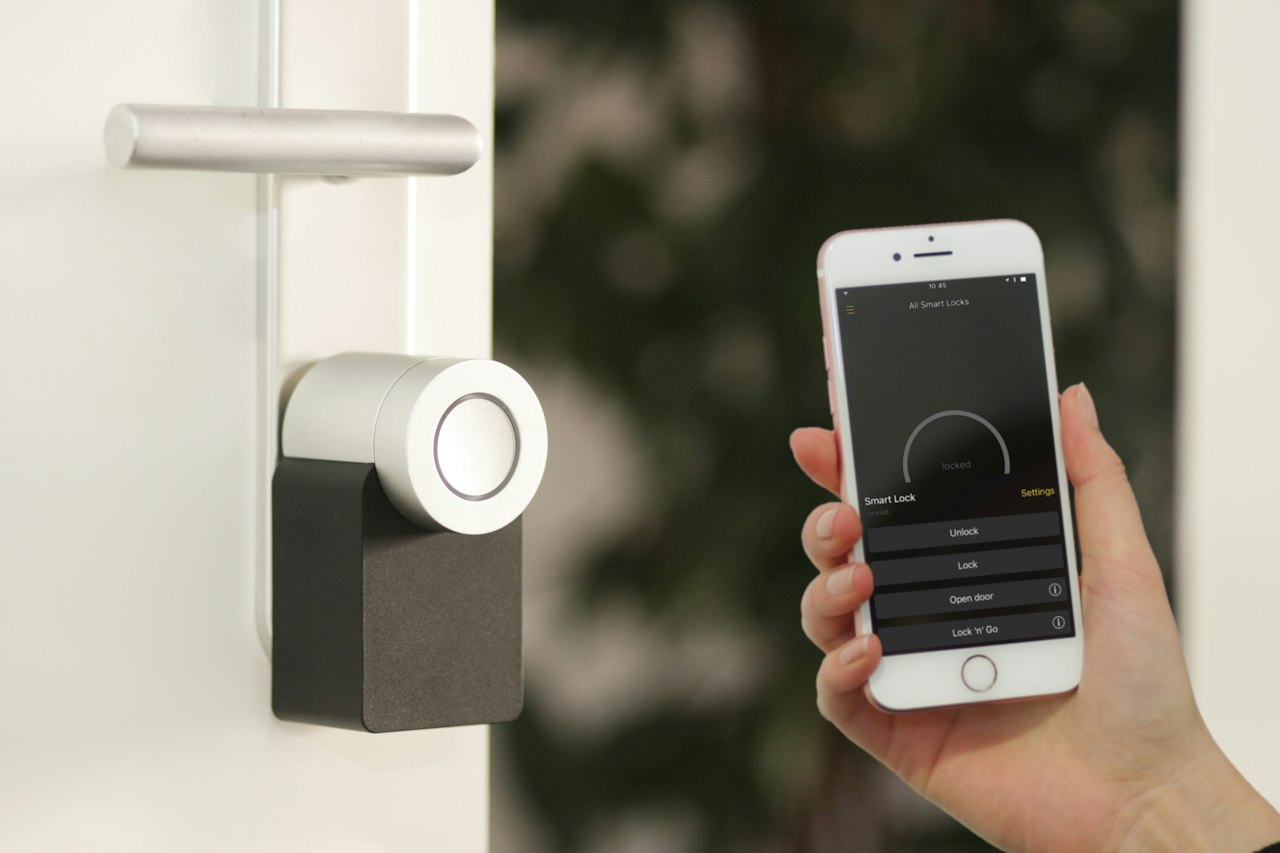
The smart home devices worth buying in 2026 are smart plugs, a video doorbell, smart lighting, a security camera and a smart thermostat. These solve real daily problems, cost little to start, and work across brands thanks to the Matter standard. Skip novelty gadgets, pick one ecosystem first, and build your setup one device at a time.
Key Takeaways
- Smart plugs are the cheapest and easiest first purchase, usually $20 to $35, or about $43 for a good 4-pack.
- A video doorbell is one of the highest-value upgrades, and decent models now start around $50.
- A smart thermostat is one of the few smart devices that can actually save you money over time.
- Matter-certified devices work across Apple, Google and Amazon, so you are not locked into one brand.
- Check for monthly fees, because many cameras charge for cloud storage and smart alerts.
What Is a Smart Home Device?
A smart home device is a household product that connects to your Wi-Fi or another wireless network so you can control it from your phone, your voice or an automatic schedule. Common examples include smart plugs, bulbs, cameras, doorbells, locks and thermostats. Because they are connected to the internet, they also need basic security, which we cover below.
Which Smart Home Devices Are Worth Buying? Quick Comparison
| Device | Typical price | Worth it? | Best for |
|---|---|---|---|
| Smart plugs | $20 to $35 (4-pack about $43) | Yes | Lamps, fans and small appliances |
| Smart bulbs | From about $7 (IKEA Matter) | Yes | Schedules and mood lighting |
| Video doorbell | About $50 to $250 | Yes | Front-door safety and packages |
| Indoor security camera | About $36 and up | Yes, watch for fees | Pets and home monitoring |
| Smart thermostat | $150 to $300 | Yes, can save energy | Homes with central heating or cooling |
| Smart switches | $40 to $70 | Maybe | Whole-home lighting upgrades |
| Smart speaker or display | Varies | Optional | A hub for voice control |
Prices are US figures from 2026 reviews and vary by retailer and country. Check current prices before you buy.

What Should You Check Before Buying Smart Home Devices?
Before you buy anything, ask one question: will this work with what I already have? The biggest mistake in smart home setups is buying devices from several ecosystems that do not work well together. Pick one main ecosystem, such as Google Home, Amazon Alexa or Apple Home, and favour devices that support Matter.
Matter is an open standard that lets devices from different brands work together. A Matter-certified plug or bulb should work with all three major ecosystems, so you can switch later without replacing everything. Be careful with cameras, robot vacuums and energy monitors, though. They may still need the maker’s own app for recording, mapping or advanced automations, so check both the Matter features and the manufacturer’s platform support.
What Are the Best Smart Home Devices to Buy First?
1. Smart plugs: the best starting point
A smart plug turns any lamp, fan or small appliance into a smart device for about $20 to $35. A 4-pack such as the Kasa Smart Plug Mini works with Alexa, Google and HomeKit and costs around $43. Plugs are low risk, because if you do not like them, you lose very little.
2. Smart bulbs and lighting: the easiest upgrade
Smart bulbs let you set schedules, dim lights and change colours from your phone. IKEA’s Matter range starts from about $7, which makes it one of the cheapest ways to try Matter. If you want a bigger system, Philips Hue offers a starter kit with a bridge that supports Zigbee and Matter.
3. Video doorbell: the highest-value upgrade
A video doorbell shows who is at the door and records packages, and for many homes it is the best first security purchase. The Blink Wired Doorbell 2K+ launched in May 2026 at $49.99, but it works through Alexa and does not use Matter. Premium models cost $150 to $250. Renters should check the wiring and the landlord’s rules first.
4. Smart security camera: good value, watch the fees
Indoor cameras such as the Wyze Cam v4 cost about $36 and give clear video for pets and rooms. Many brands lock cloud storage and smart alerts behind a monthly fee, so read the fine print before you buy and check whether local storage is an option.
5. Smart thermostat: the one that can pay for itself
A smart thermostat is one of the few smart home devices that can save money over time, because it adjusts heating and cooling around your schedule. Prices run from $150 to $300. The Google Nest Learning Thermostat (4th generation) is a premium option with Matter support, and the Ecobee Smart Thermostat Premium comes with built-in sensors and Alexa.
6. A hub or smart display: optional but handy
If you want one box to control everything, a smart display such as the Amazon Echo Show 8 acts as a hub with Zigbee, Thread and Matter built in. It also works as a speaker, a video-call screen and a doorbell viewer. It is a good fit for first-time buyers who want a hub and a speaker together.
Which Smart Home Devices Are Not Worth Buying?
Skip any device that solves a problem you do not have. A smart gadget is worth buying only when it fixes a real daily annoyance, such as forgetting to turn off a heater or missing a delivery. Be wary of products that need their own hub, have no Matter support, or do not state how long they will receive security updates.
- Novelty gadgets with no clear daily benefit.
- Cheap no-name cameras with weak security or unclear privacy policies.
- Devices that need a separate hub and a separate app when a Matter option exists.
- Anything with expensive required subscriptions that you did not budget for.
How Do You Keep Smart Home Devices Secure?
Smart home devices connect to your network, so they need the same care as your phone and laptop. Follow these basic steps:
- Change default passwords. Many devices ship with common logins that attackers try first. Use a unique password for each one, and store them in a password manager.
- Turn on two-factor authentication. Enable two-factor authentication on your Google, Amazon, Apple and camera accounts.
- Update firmware. Turn on automatic updates, or check the manufacturer’s app regularly.
- Use a guest network. Put smart devices on a separate Wi-Fi network if your router allows it.
- Secure your router. Follow our guide to protecting your home Wi-Fi from hackers.
How Do You Build a Smart Home Step-by-Step?
Step 1 — Fix your Wi-Fi first
Smart devices need a stable connection. If some rooms have weak coverage, upgrade to a mesh system, and see our tips to increase your internet speed without upgrading.
Step 2 — Choose one ecosystem
Pick Google Home, Amazon Alexa or Apple Home, and look for the Matter logo when you shop.
Step 3 — Start with plugs and bulbs
They are cheap, easy to set up and let you learn automations before you spend more.
Step 4 — Add security
Add a video doorbell or smart lock next, because they handle the entrance you use every day.
Step 5 — Add a thermostat and expand slowly
Buy a thermostat if you have central heating or cooling, then add devices only when they solve a real problem.
Frequently Asked Questions
What smart home device should I buy first?
Start with a smart plug or two. They cost about $20 to $35, work with all major assistants and teach you how automations work before you spend more on cameras or thermostats.
Are smart home devices worth the money?
Some are and some are not. Smart plugs, video doorbells and thermostats solve real problems, while novelty gadgets rarely do. Buy a device only when it fixes something you actually face at home.
What is Matter, and do I need it?
Matter is an open standard that lets smart devices from different brands work together. You do not strictly need it, but Matter-certified devices work with Apple, Google and Amazon, so you are not locked into one ecosystem.
Do smart home devices need internet to work?
Most need an internet connection for remote control and cloud features. Some offer local control, so check whether the device keeps working if the internet goes down.
Which smart home devices save money?
Smart thermostats are the most reliable money savers, and smart plugs with energy monitoring can help you spot power-hungry appliances. Most other devices add convenience or security instead.
Are smart home devices safe from hackers?
They can be safe if you change default passwords, update firmware, enable two-factor authentication and use a guest network. Most attacks use weaknesses that owners can easily prevent.
Conclusion
The smart home devices worth buying in 2026 are the ones that solve real problems: smart plugs, a video doorbell, smart lighting, a camera and a thermostat. Choose one ecosystem, favour Matter, watch for monthly fees and secure everything you connect. Start small, learn what you actually use, and expand one device at a time.
Related reading: How to protect your home Wi-Fi from hackers · What is two-factor authentication? · Top 5 password managers in 2026 · How to increase your internet speed