Quick Answer: The best laptop under $500 for programming in 2026 is the Acer Aspire 5 (AMD Ryzen 5, 16GB RAM) for Windows users — best balance of performance, build quality, and price. For students on a tighter budget, the ASUS VivoBook 15 is an excellent alternative. If you are open to Linux or ChromeOS, the options get even better at this price point.
Finding a good programming laptop under $500 used to mean accepting serious compromises — slow processors, 8GB RAM that could barely handle a browser and an IDE simultaneously, and dim displays that made long coding sessions painful.
In 2026, that has changed. Budget laptops have caught up significantly, and $500 now buys you a machine that can handle Python, JavaScript, web development, data science, and even light Docker work without breaking a sweat — if you pick the right one.
We reviewed the top options available in 2026, compared real-world specs, and identified exactly which laptops deliver the best programming experience at this price. Here is what we found.
What Specs Actually Matter for Programming?
Before the list, here is what to actually look for — and what you can safely ignore — when buying a programming laptop under $500:
Must-Have Specs:
- RAM: 16GB minimum — 8GB is not enough in 2026. Running VS Code, a browser with developer tools, a local server, and Docker simultaneously will push 8GB to its limit. 16GB is the sweet spot. Do not buy 8GB thinking you will upgrade later — most budget laptops have soldered RAM.
- SSD: 256GB minimum, 512GB preferred — Never buy a laptop with an HDD for programming. An SSD makes boot times, file operations, and compilation dramatically faster. 512GB is ideal for storing projects, node_modules, and virtual environments.
- CPU: AMD Ryzen 5 or Intel Core i5 (12th gen or newer) — Both are excellent for programming workloads. AMD Ryzen 5 chips offer slightly better performance per dollar at this price range in 2026.
- Display: 1080p IPS minimum — You will stare at this screen for hours. A 1080p IPS panel with decent brightness (300+ nits) is non-negotiable. TN panels are cheaper but give you eye strain within hours.
- Battery: 6+ hours real-world — Manufacturer claims are always optimistic. Look for 8+ hours claimed to get 6+ hours of actual coding use.
Nice to Have:
- USB-C charging and ports — essential for modern peripherals
- Backlit keyboard — useful for coding late at night
- Webcam quality — for code reviews and pair programming sessions
You Can Ignore:
- Dedicated GPU — unnecessary for most programming tasks (except ML/AI work)
- Touchscreen — rarely useful for coding workflows
- Brand name — ASUS, Acer, and Lenovo all make excellent budget laptops in 2026
Top 5 Best Laptops Under $500 for Programming in 2026
1. Acer Aspire 5 (AMD Ryzen 5 7520U, 16GB RAM) — Best Overall
Price: ~$449 — $479
Best for: Web development, Python, JavaScript, data science, general programming
The Acer Aspire 5 with AMD Ryzen 5 and 16GB RAM is the most consistently recommended programming laptop under $500 in 2026 — and for good reason. It hits every important spec at a price that leaves room in your budget for a good mechanical keyboard or second monitor.
The Ryzen 5 7520U processor handles multi-threaded tasks well — compiling code, running local servers, and managing multiple Docker containers simultaneously without slowdown. The 16GB RAM configuration (look specifically for this variant) makes multitasking genuinely comfortable. VS Code, Chrome with 15 tabs, a Node.js server, and Spotify running simultaneously — no problem.
Key Specs:
- CPU: AMD Ryzen 5 7520U (4 cores, 8 threads, up to 4.3GHz)
- RAM: 16GB DDR5 (check the specific variant — some ship with 8GB)
- Storage: 512GB NVMe SSD
- Display: 15.6-inch 1080p IPS, 300 nits
- Battery: Up to 9 hours (6 to 7 hours real-world coding)
- Ports: USB-C, 2x USB-A, HDMI, SD card, headphone jack
- Weight: 1.77 kg (3.9 lbs)
- OS: Windows 11 Home
Pros:
- ✅ 16GB RAM at this price is exceptional value
- ✅ 512GB NVMe SSD — fast and spacious
- ✅ Good port selection including USB-C
- ✅ Solid build quality for the price
- ✅ Backlit keyboard — comfortable for long coding sessions
- ✅ Upgradeable SSD (RAM is soldered)
Cons:
- ❌ Display brightness (300 nits) is not great in bright rooms
- ❌ Plastic build — not as premium feeling as more expensive options
- ❌ Webcam is mediocre — fine for occasional video calls
- ❌ Fan can get audible during heavy compilation tasks
Verdict: The Acer Aspire 5 with 16GB RAM is the safest, most well-rounded pick for programmers under $500 in 2026. If you are unsure which laptop to buy, buy this one. Just make sure you get the 16GB RAM variant — the 8GB version at a lower price is not worth it for development work.
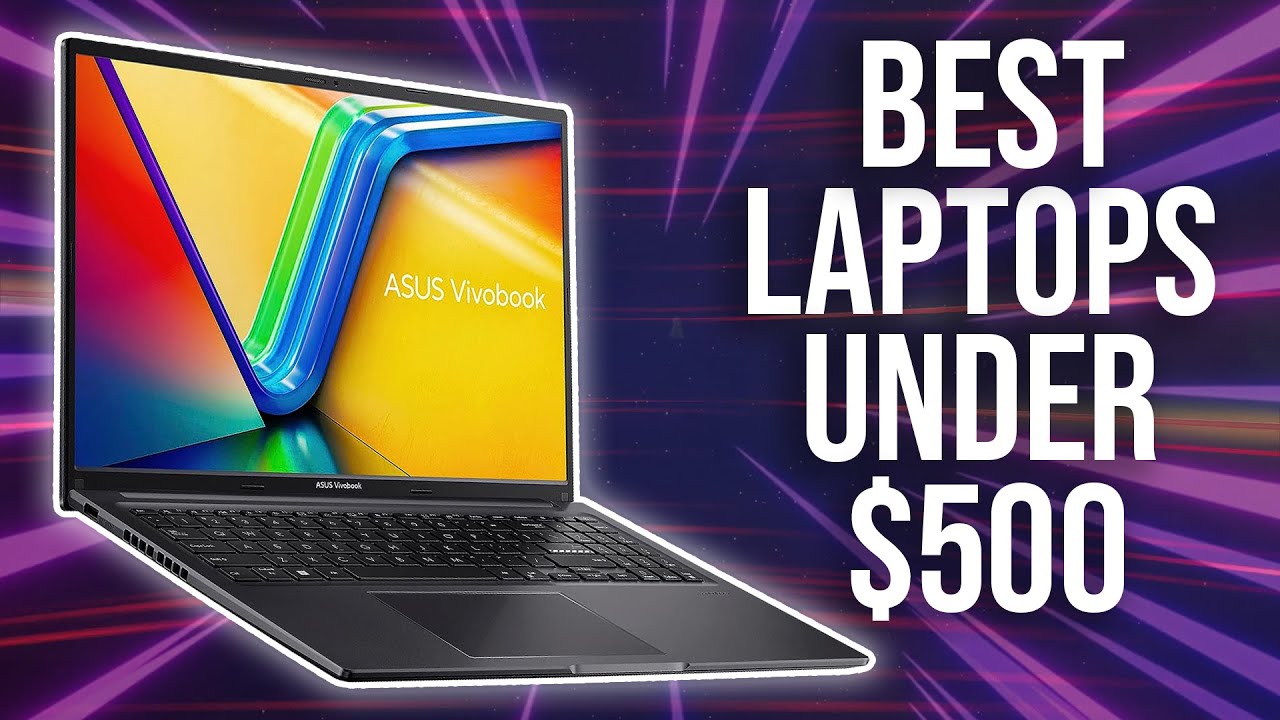
2. ASUS VivoBook 15 (Intel Core i5-1235U, 16GB RAM) — Best Display
Price: ~$429 — $469
Best for: Front-end development, UI work, students who care about screen quality
The ASUS VivoBook 15 is the best-display option under $500 for programming in 2026. The IPS panel is noticeably better calibrated than most competitors at this price — colors are accurate, viewing angles are wide, and brightness is sufficient for most indoor environments. If you do front-end development or spend long hours coding, the better display is worth it.
The Intel Core i5-1235U is a strong performer for programming tasks, with 10 cores (2 performance + 8 efficiency) that handle IDE operations, Git tasks, and build processes efficiently. The 16GB RAM configuration handles modern development workflows comfortably.
Key Specs:
- CPU: Intel Core i5-1235U (10 cores, up to 4.4GHz)
- RAM: 16GB DDR4
- Storage: 512GB SSD
- Display: 15.6-inch 1080p IPS, 300 nits, anti-glare
- Battery: Up to 8 hours (5 to 6 hours real-world)
- Ports: USB-C, 2x USB-A, HDMI, SD card reader
- Weight: 1.7 kg (3.75 lbs)
- OS: Windows 11 Home
Pros:
- ✅ Best display quality in this price range
- ✅ 16GB RAM — comfortable for multitasking
- ✅ Lightweight for a 15-inch laptop
- ✅ Good keyboard with backlight
- ✅ NumberPad on touchpad — useful for data work
Cons:
- ❌ Battery life shorter than Acer Aspire 5
- ❌ Runs warmer under sustained load
- ❌ Limited port selection on some variants
Verdict: If display quality matters most to you — especially for front-end work or long coding sessions — the ASUS VivoBook 15 edges out the Acer Aspire 5. Otherwise, the Aspire 5 offers slightly better overall value.
3. Lenovo IdeaPad Slim 3 (AMD Ryzen 5 7430U, 16GB RAM) — Best Battery Life
Price: ~$399 — $449
Best for: Students, remote workers, coding on the go
The Lenovo IdeaPad Slim 3 is the best battery life option under $500 for programmers in 2026. It consistently delivers 8 to 10 hours of real-world use — enough to get through a full day of coding at a cafe or university without hunting for a power outlet.
Lenovo’s build quality is also noticeably better than most budget competitors. The keyboard travel is excellent — one of the best typing experiences in this price range, which matters when you spend hours coding. The AMD Ryzen 5 handles development tasks well and runs cooler and quieter than many competitors.
Key Specs:
- CPU: AMD Ryzen 5 7430U (6 cores, up to 4.3GHz)
- RAM: 16GB DDR4
- Storage: 512GB SSD
- Display: 15.6-inch 1080p IPS, 300 nits
- Battery: Up to 12 hours (8 to 10 hours real-world)
- Ports: USB-C, 2x USB-A, HDMI, SD card, headphone jack
- Weight: 1.62 kg (3.57 lbs)
- OS: Windows 11 Home
Pros:
- ✅ Best battery life in this category — 8 to 10 hours real-world
- ✅ Excellent keyboard — best typing feel under $500
- ✅ Lighter than most 15-inch laptops
- ✅ Runs cooler and quieter than AMD competitors
- ✅ Lenovo’s legendary build quality and durability
Cons:
- ❌ Slightly slower GPU performance than Acer Aspire 5
- ❌ Display is acceptable but not class-leading
- ❌ Can be harder to find the 16GB variant in stock
Verdict: If you code on the go and battery life is your top priority, the Lenovo IdeaPad Slim 3 is the best choice. The keyboard alone is worth considering if you type for hours daily.
4. HP Pavilion 15 (AMD Ryzen 5, 16GB RAM) — Best for Reliability
Price: ~$429 — $479
Best for: Developers who want brand reliability and wide availability
The HP Pavilion 15 is the most widely available budget programming laptop in 2026 — you can find it at virtually every major retailer, which matters for warranty support and returns. HP’s build quality is solid and the Pavilion line has a strong track record for reliability over multi-year use.
Key Specs:
- CPU: AMD Ryzen 5 7530U (6 cores, up to 4.5GHz)
- RAM: 16GB DDR4
- Storage: 512GB SSD
- Display: 15.6-inch 1080p IPS micro-edge display
- Battery: Up to 8.5 hours (6 to 7 hours real-world)
- Ports: USB-C, 2x USB-A, HDMI, SD card
- Weight: 1.75 kg (3.86 lbs)
- OS: Windows 11 Home
Pros:
- ✅ Widely available — easy to buy, return, or get support
- ✅ Proven reliability over time
- ✅ Micro-edge display with slim bezels looks clean
- ✅ Good performance for the price
- ✅ HP’s customer support is better than Acer and ASUS at this tier
Cons:
- ❌ Slightly more expensive than equivalent ASUS and Acer models
- ❌ Comes with HP bloatware that needs removing
- ❌ Keyboard is decent but not as good as Lenovo
Verdict: The HP Pavilion 15 is the safe, reliable choice for programmers who prioritize brand trust, easy returns, and long-term support over maximum specs-per-dollar.
5. Acer Aspire Go 15 — Best Under $350 for Beginners
Price: ~$299 — $349
Best for: Absolute beginners, students on tight budgets, learning to code
If your budget is closer to $300 than $500, the Acer Aspire Go 15 is genuinely impressive for the price. It is not a powerhouse — do not expect to run Docker containers or compile large projects quickly — but for learning Python, HTML/CSS, JavaScript basics, and running coding bootcamp curricula, it handles the job without frustration.
Key Specs:
- CPU: Intel Core i3-N305 (8 cores, up to 3.8GHz)
- RAM: 8GB LPDDR5 (limited, but sufficient for basics)
- Storage: 256GB SSD
- Display: 15.6-inch 1080p IPS
- Battery: Up to 10 hours (7 to 8 hours real-world)
- Weight: 1.74 kg
Verdict: The Aspire Go 15 is the best option if you are learning to code and do not need to run heavy development environments. Save the money now and upgrade to the Aspire 5 or VivoBook when your skills (and projects) outgrow it.
Quick Comparison Table
| Laptop | Price | CPU | RAM | Storage | Battery | Best For |
|---|---|---|---|---|---|---|
| Acer Aspire 5 | ~$449 | Ryzen 5 7520U | 16GB | 512GB SSD | 6-7 hrs | Best overall |
| ASUS VivoBook 15 | ~$449 | i5-1235U | 16GB | 512GB SSD | 5-6 hrs | Best display |
| Lenovo IdeaPad Slim 3 | ~$429 | Ryzen 5 7430U | 16GB | 512GB SSD | 8-10 hrs | Best battery |
| HP Pavilion 15 | ~$459 | Ryzen 5 7530U | 16GB | 512GB SSD | 6-7 hrs | Best reliability |
| Acer Aspire Go 15 | ~$299 | i3-N305 | 8GB | 256GB SSD | 7-8 hrs | Best budget |
Which Laptop Should YOU Choose?
- 🏆 Best all-around pick: Acer Aspire 5 (16GB RAM) — safest choice for most programmers
- 🖥️ Best display for front-end dev: ASUS VivoBook 15
- 🔋 Best for coding on the go: Lenovo IdeaPad Slim 3
- 🛡️ Best for reliability and support: HP Pavilion 15
- 💰 Best under $350: Acer Aspire Go 15 for beginners
Should You Install Linux on Your Budget Programming Laptop?
Yes — if you are comfortable with it. Linux (Ubuntu, Fedora, or Pop!_OS) dramatically improves performance on budget hardware compared to Windows 11. Here is why:
- Linux uses significantly less RAM at idle — freeing up more memory for your development tools
- Package management is faster and more reliable for installing development dependencies
- No Windows bloatware consuming resources in the background
- Most web servers, cloud platforms, and DevOps tools run on Linux natively
All five laptops listed above work excellently with Ubuntu 24.04 LTS or Fedora 41 in 2026. If you are learning web development or back-end programming, Linux is worth the initial learning curve.
Tips for Getting the Most Out of a Budget Programming Laptop
- ✅ Always buy 16GB RAM — this is the most important spec decision. Do not compromise.
- ✅ Use VS Code — it is lighter than most IDEs and runs better on budget hardware than IntelliJ or Eclipse
- ✅ Disable startup apps — frees up RAM immediately. Check our guide on How to Speed Up Windows 11
- ✅ Use a wired mouse — budget touchpads are frustrating for extended use
- ✅ Connect an external monitor when at a desk — even a cheap 1080p monitor dramatically improves your workflow
- ✅ Use WSL2 on Windows — Windows Subsystem for Linux gives you a Linux terminal without dual-booting
- ✅ Keep your laptop secure — use a password manager for all your developer accounts. Read our Top 5 Password Managers guide
Final Thoughts
The best laptop under $500 for programming in 2026 is the Acer Aspire 5 with 16GB RAM. It delivers the right combination of CPU performance, RAM, SSD speed, and battery life for serious development work — at a price that leaves room in your budget for the peripherals that actually improve your productivity.
If battery life is your priority, choose the Lenovo IdeaPad Slim 3. If display quality matters most, go with the ASUS VivoBook 15. And if you are just starting out, the Acer Aspire Go 15 at $299 is genuinely impressive for learning to code.
Whatever you choose — make sure it has 16GB RAM and a 512GB SSD. Everything else is secondary.
Frequently Asked Questions
What is the best laptop under $500 for programming in 2026?
The best laptop under $500 for programming in 2026 is the Acer Aspire 5 with AMD Ryzen 5 and 16GB RAM. It offers the best balance of CPU performance, memory, SSD storage, battery life, and build quality at this price point. The 16GB RAM configuration is essential for running VS Code, a browser, and a local development server simultaneously without slowdown.
Is 8GB RAM enough for programming in 2026?
No — 8GB RAM is not enough for comfortable programming in 2026. Running VS Code, a browser with developer tools open, a local server, and Docker containers simultaneously will push 8GB to its limit and cause slowdowns. Always choose 16GB RAM when buying a programming laptop, as most budget laptops have soldered RAM that cannot be upgraded later.
Can you learn to code on a laptop under $500?
Absolutely. All five laptops in this guide are capable of running Python, JavaScript, HTML/CSS, web development frameworks, and coding bootcamp curricula without issues. For beginners learning to code, even the $299 Acer Aspire Go 15 is more than sufficient. You do not need an expensive laptop to learn programming.
Is AMD Ryzen better than Intel for programming laptops under $500?
In 2026, AMD Ryzen 5 chips offer slightly better performance per dollar than Intel Core i5 equivalents at the sub-$500 price point. AMD also tends to run cooler under sustained loads. However, both are excellent for programming — the difference in real-world coding performance is minimal. Focus on RAM and SSD speed rather than obsessing over AMD vs Intel at this price range.
Should I buy a Windows or Linux laptop for programming?
Either works — but Linux offers advantages for programming on budget hardware. Linux uses less RAM at idle, has better package management for development tools, and most web servers and cloud platforms run Linux natively. All laptops in this guide work excellently with Ubuntu 24.04 LTS. If you are not comfortable with Linux, Windows 11 with WSL2 gives you a Linux terminal inside Windows without dual-booting.
What size laptop is best for programming?
A 15.6-inch laptop is the best size for programming at a desk — the larger screen reduces eye strain during long sessions. If you code frequently on the go, a 14-inch model offers a better balance of screen size and portability. Avoid 13-inch laptops for programming unless portability is your absolute top priority — the smaller keyboard and screen become frustrating during extended coding sessions.