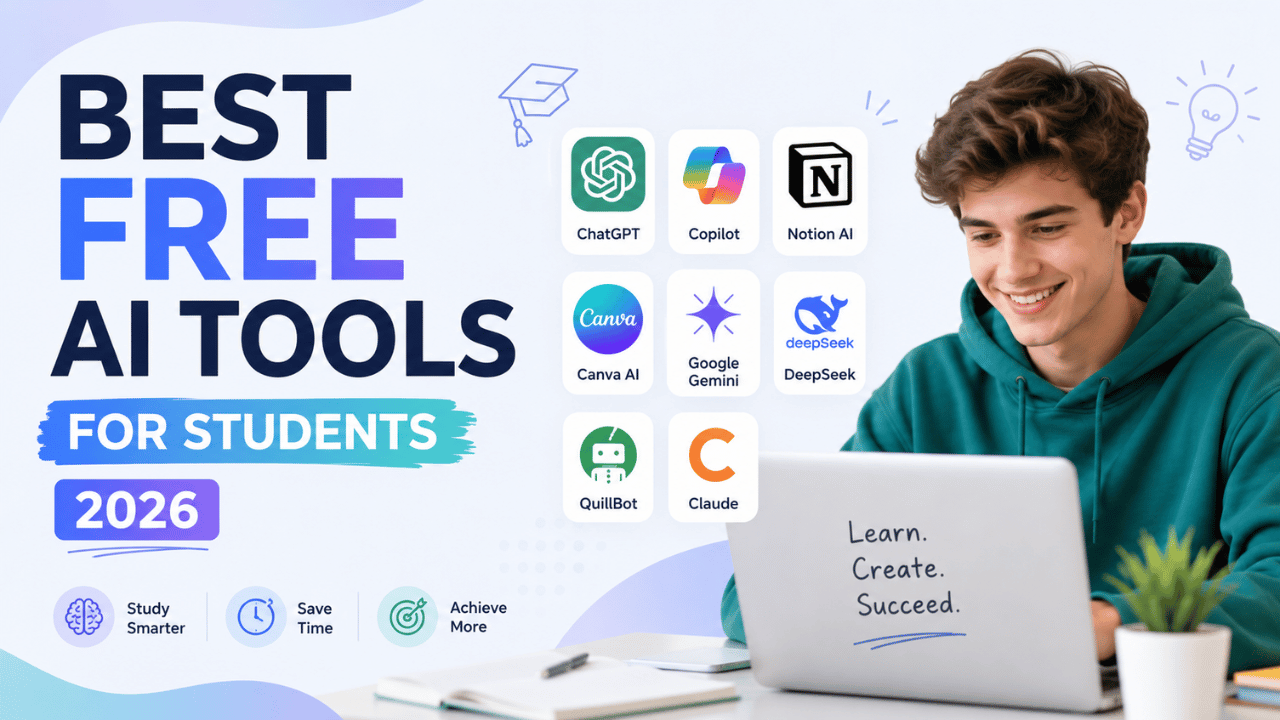
Quick Answer: The best free AI tools for students in 2026 are NotebookLM (studying your own notes), ChatGPT (explanations and brainstorming), Grammarly (writing improvement), Perplexity AI (research with sources), and QuillBot (paraphrasing and summarizing). All are completely free to start.
Being a student in 2026 is genuinely different from just a few years ago. AI tools are no longer just a novelty — they are becoming as essential as a calculator or dictionary. The problem is not finding AI tools. The problem is finding ones that are actually free, actually useful, and actually designed for how students study.
Here are the free AI tools that are most useful for students in 2026, with notes on what each free plan includes so you can avoid wasted time.
Why Students Need AI Tools in 2026
Before we dive in, here is the honest truth: AI will not do your learning for you. But it will help you learn faster, understand harder topics, and spend less time on the repetitive parts of studying — leaving more time for actually understanding things.
The right AI tools help students with:
- Turning lecture notes into clear summaries
- Explaining difficult concepts in simple language
- Generating practice questions and flashcards
- Improving essay writing and grammar
- Finding research sources and citations
- Creating study plans and revision schedules
Now, here are the tools that do these jobs best — for free.
1. NotebookLM — Best AI Tool for Studying Your Own Notes
Best for: Exam revision, understanding textbooks, turning lectures into study guides
Price: Completely free with a Google account
If there is one AI tool every student should be using in 2026, it is Google’s NotebookLM. And most students have still never heard of it — which means you are about to get a serious advantage over your classmates.
Here is what makes NotebookLM special: instead of answering from the internet, it answers only from the documents you upload. Upload your lecture slides, textbook chapters, or research papers, and NotebookLM becomes an AI expert on exactly that material. It cannot make things up about your course because it is constrained to what you gave it.
What you can do with it:
- ✅ Upload PDFs, audio files, and websites — up to 50 sources per notebook
- ✅ Ask “Explain Chapter 4 in simple terms” and get an accurate answer
- ✅ Generate flashcards and study guides from your own notes
- ✅ Create an Audio Overview — a podcast-style discussion of your material for auditory learners
- ✅ Ask questions across multiple documents at once
- ✅ Free tier: up to 100 notebooks, 500,000 words per notebook
The Audio Overview feature alone is worth using NotebookLM. It turns dry textbook chapters into an engaging two-host discussion — perfect for studying while commuting or exercising.
Verdict: NotebookLM is the most underused and most powerful free AI study tool in 2026. Start here.
2. ChatGPT — Best for Explanations, Brainstorming, and Study Plans
Best for: Understanding difficult concepts, essay brainstorming, revision planning
Price: Free (limited) — $20/month for Plus
ChatGPT needs no introduction, but most students are only using 20% of what it can do. The free tier in 2026 gives you access to GPT-5.2 — powerful enough for the vast majority of student tasks.
What students use ChatGPT for most effectively:
- ✅ “Explain photosynthesis like I am 12 years old” — simplifies any concept instantly
- ✅ “Create a 7-day revision plan for my History exam next Monday”
- ✅ “Generate 20 practice questions on this topic with answers”
- ✅ “Summarize this 40-page article in 5 bullet points”
- ✅ “Help me brainstorm arguments for my essay on climate change”
- ✅ “What is the difference between X and Y?” — great for comparing concepts
One important tip: always verify facts ChatGPT gives you. It can occasionally produce inaccurate information — especially for specific dates, statistics, or quotes. Use it to understand concepts, not as a primary source.
Verdict: ChatGPT is the best all-around AI study assistant for explanations and brainstorming. The free tier is enough for most students.
3. Grammarly — Best for Writing Essays and Assignments
Best for: Improving grammar, clarity, tone, and writing quality
Price: Free (core features) — $12/month for Premium
If you write essays, reports, or any assignments, Grammarly is one of the most valuable free tools available to you. It goes beyond simple spell-checking — it analyses your sentence structure, suggests clearer phrasing, checks your tone, and helps you write more confidently.
The free tier includes:
- ✅ Grammar and spelling corrections
- ✅ Punctuation checks
- ✅ Basic clarity suggestions
- ✅ Works inside Google Docs, Microsoft Word, and your browser
- ✅ Real-time feedback as you type
The free version is powerful enough for most students. The Premium version adds plagiarism detection, advanced style suggestions, and vocabulary enhancement — worth considering if you write a lot of academic work.
Verdict: Every student who writes assignments should have Grammarly installed. It is free, easy to use, and visibly improves your writing quality immediately.
4. Perplexity AI — Best for Research with Cited Sources
Best for: Research, finding sources, answering specific academic questions
Price: Free (generous limits) — $20/month for Pro
Perplexity AI is like a research assistant that always shows its work. Unlike ChatGPT, which can hallucinate sources, Perplexity searches the web in real-time and provides answers with direct citations to the sources it used. For academic research, this is invaluable.
What makes Perplexity different:
- ✅ Every answer includes clickable source citations
- ✅ Real-time web search — always up to date
- ✅ Ask follow-up questions in the same thread
- ✅ Focus on specific sources like academic papers or news
- ✅ Clean, distraction-free interface
The key advantage for students: you get the answer AND the sources in one place. You can verify the information and use the sources in your bibliography. This saves hours of manual research.
Verdict: Use Perplexity when you need to research a topic for an assignment. It is faster and more reliable than a standard Google search for academic topics.
5. QuillBot — Best for Paraphrasing and Summarizing
Best for: Rewriting, summarizing long texts, avoiding repetitive phrasing
Price: Free (limited) — $9.95/month for Premium
QuillBot is the most popular AI paraphrasing tool among students, and for good reason. It helps you rewrite sentences in your own words, summarize long articles quickly, and improve the flow of your writing — all for free.
Free tier includes:
- ✅ Paraphrase up to 125 words at a time
- ✅ Summarizer — paste any article and get a concise summary
- ✅ Grammar checker built in
- ✅ Works as a browser extension and Google Docs add-on
- ✅ 3 paraphrasing modes on free plan (Standard, Fluency, Formal)
Important: Use QuillBot to improve your own writing, not to pass off AI-generated text as your own work. Many universities now use AI detection tools, and academic integrity matters.
Verdict: QuillBot is excellent for summarizing research articles and improving the phrasing of your own writing. The free 125-word limit is the main restriction, but it is enough for many tasks.
Bonus Tools Worth Knowing About
Google Gemini — Best for Google Workspace Users
If you use Google Docs, Slides, or Sheets for assignments, Gemini is built right in. It can help draft content, create presentation outlines, and summarize documents directly inside the apps you already use. Free with a Google account. Students with a .edu email may qualify for Gemini for Students — check with your institution.
Microsoft Copilot — Best for Microsoft Office Users
Similar to Gemini but for Word, PowerPoint, and OneNote. Helps write, edit, and summarize inside Microsoft tools. Free via your browser at copilot.microsoft.com.
Wolfram Alpha — Best for Maths and Science
Not an AI chatbot, but an incredibly powerful computational tool. Enter any maths equation, chemistry problem, or physics question and get a step-by-step solution. Completely free for basic calculations — essential for STEM students.
Quick Comparison: Best Free AI Tools for Students 2026
| Tool | Best For | Free Limit | No Sign-Up? |
|---|---|---|---|
| NotebookLM | Studying your own notes & PDFs | 100 notebooks, 500K words | ❌ Google account needed |
| ChatGPT | Explanations, study plans, brainstorming | Daily message limit | ❌ Account needed |
| Grammarly | Essay writing improvement | Core features free forever | ❌ Account needed |
| Perplexity AI | Research with cited sources | Generous daily limit | ✅ No sign-up required |
| QuillBot | Paraphrasing and summarizing | 125 words per use | ❌ Account needed |
| Wolfram Alpha | Maths and science problems | Basic calculations free | ✅ No sign-up required |
How to Use These AI Tools Without Getting in Trouble
A quick but important note: many universities and schools have strict policies on AI use. Before using any AI tool for assignments, check your institution’s guidelines. Here are some safe ways to use AI as a student:
- ✅ Safe: Using AI to understand a concept you are struggling with
- ✅ Safe: Using AI to create practice questions for revision
- ✅ Safe: Using Grammarly to improve your own written work
- ✅ Safe: Using NotebookLM to summarize your own lecture notes
- ❌ Risky: Submitting AI-generated text as your own writing
- ❌ Risky: Using AI to write your entire essay without disclosure
Final Thoughts
The best free AI tools for students in 2026 are not about cheating — they are about learning more efficiently. NotebookLM turns your notes into a personal tutor. ChatGPT explains concepts in plain language. Grammarly makes your writing clearer. Perplexity finds research sources instantly. QuillBot helps you paraphrase and summarize.
Start with two tools: NotebookLM for studying and Perplexity for research. Add Grammarly when you write. You will notice a difference within the first week.
Want to keep your student accounts secure? Read our guide on the Top 5 Password Managers in 2026 to protect your logins.
Frequently Asked Questions
What is the best free AI tool for students in 2026?
NotebookLM is the best free AI tool for studying in 2026. It lets you upload your own lecture notes, textbooks, and PDFs, then answers questions using only that material — so it cannot hallucinate or make things up about your course content. It is completely free with a Google account.
Can students use ChatGPT for free in 2026?
Yes — ChatGPT offers a free tier in 2026 that gives access to GPT-5.2 with daily message limits. The free version is powerful enough for most student tasks including explanations, brainstorming, and study planning. The paid Plus plan at $20/month gives access to GPT-5.4 with higher limits.
Is using AI tools cheating for students?
It depends entirely on how you use them and your institution’s policies. Using AI to understand concepts, create practice questions, or improve your own writing is generally acceptable. Submitting AI-generated text as your own work without disclosure is considered academic dishonesty at most institutions. Always check your school’s AI policy before using these tools for assignments.
What is the best AI tool for writing essays?
Grammarly is the best free AI tool for improving essay writing. It checks grammar, punctuation, clarity, and tone in real-time as you write. For students who need more writing assistance, ChatGPT can help with brainstorming and outlining, while QuillBot helps with paraphrasing and improving sentence structure.
Which free AI tool is best for research?
Perplexity AI is the best free AI tool for student research in 2026. Unlike ChatGPT, it searches the web in real-time and always shows the sources for every answer — making it easy to verify information and build your bibliography. It requires no account to use and has a generous free limit.